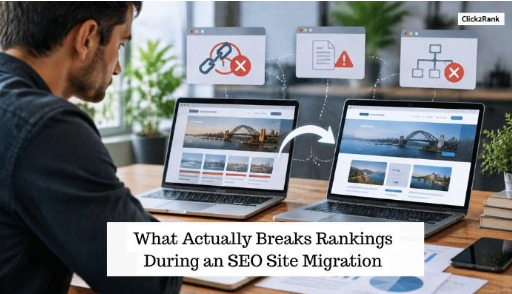
Your rankings just dropped after a migration, and you have no idea why. At Click2Rank, we run emergency traffic audits for exactly this reason. And the causes almost always trace back to the same handful of mistakes.
Redirect errors, missing metadata, a restructured site, and an exposed staging environment can all affect how Google crawls and indexes the new site. Each mistake shows up in a different part of the process, but they all lead back to the same result: lost rankings that take weeks to earn back.
This guide walks through what breaks, why it breaks, and how to catch it before it costs you more traffic.
Why Redirect Chains Are the First Thing to Kill Your SEO Rankings

Redirects tell Google exactly where a page went after a move, and mapping them correctly is what keeps your search engine rankings intact. Get the mapping wrong, and that connection never reaches Google’s search engine crawlers at all.
The most common failure point comes down to one thing: a URL that never makes it onto the redirect map in the first place.
When the Redirect Map Misses URLs Entirely
A full site crawl before launch catches every live address on your old site. The crawl gives a much better URL inventory, but someone still needs to review and map those URLs. Any page that does get skipped loses its ranking history the moment Google can’t find where it went.
Say a product page never makes it onto the redirect map because the migration team worked from a sitemap instead of a full crawl. That single gap can erase a page that took months to rank in the first place.
On migrations that skip a full crawl, missed URLs cause most of the traffic loss we see. Google’s own site move documentation confirms that old and new URLs need to connect for rankings to carry over.
Missing URLs are only half the problem, though. Even a redirect that exists can still lose most of its value along the way.
How Redirect Chains Dilute Ranking Signals
A single permanent redirect passes the majority of a page’s authority to its new address. Each extra hop in a chain weakens that transfer a little more.
Google’s own documentation confirms link value can be lost across multiple redirects, so a long chain often arrives with little authority left. Mapping every old URL straight to its final destination avoids that loss entirely.
What Happens to Your Old Site’s Metadata When Nobody Maps It

Why does a page that ranked well for years suddenly lose clicks after a migration? The page’s metadata usually changes even when the page itself doesn’t. A reset title tag or a missing meta description can quietly tank click-through rate without touching a single word of the actual content.
The new content management system often resets title tags to a generic default, wiping out years of carefully tested wording overnight. Meta descriptions disappear just as easily, which leaves Google to write its own summary from whatever text it finds on the page.
Canonical tags can cause a different problem. A canonical tag tells Google which URL should be treated as the preferred version of a page. If the new page still points to an old URL, the signal can conflict with the migration. This can make it harder for Google to understand which URL should appear in search results.
Keep in Mind: A title tag or canonical tag isn’t always visible on the rendered page, so these two slip past a quick check. A broken internal link, on the other hand, shows up the moment you click it.
How a New Site Structure Breaks the Paths Google Already Trusts
A redesign feels cosmetic from the outside, but Google treats it as something far more disruptive.
Search engines learn a site’s structure over time, tracking which folders hold your most important pages and how deep they sit from the homepage. If you change that structure without care, the paths Google has already learned to trust break all at once.
Those trusted paths often live in your internal links, and that’s usually the first place things break.
When Internal Links Still Point to the Old Site
Picture a blog post linking to several other pages on your old domain. After a migration, every one of those internal links points to an address that no longer exists, unless someone updates them first.
Those dead links are what’s known as broken links, and they carry real costs. They waste crawl budget on dead ends and dilute the link equity meant for your important pages. Visitors get stuck on a 404 instead of the page they actually wanted.
Worse, pages that lose their internal links entirely become orphaned. Google finds new content mostly by crawling links from page to page, so an orphaned page has no path leading a crawler to it. Without fresh crawls, Google eventually treats the page as low priority and drops it from the index over time.
Updating internal links before launch keeps a site’s link equity flowing where it should, rather than towards dead ends discovered after launch.
Folder and Category Changes That Reset Authority
Folder and category changes affect a site’s SEO in three specific ways worth knowing before you touch either one:
- URL Changes Reset Rankings: Moving a page from one folder to another, like /services/seo to /seo, creates a brand-new URL structure. The ranking history attached to the old address doesn’t transfer with it, even though the content on the page hasn’t changed at all. Google treats the new address as a page it has never seen before, starting its evaluation from zero.
- Site Depth Buries Pages: Flattening a site’s structure can bury previously high-ranking, important pages three or four clicks further from the homepage than before. Search engines allocate more frequent crawls to pages closer to the homepage, so depth alone can reduce how often a page gets revisited.
- Category Merges Split Authority: Merge two categories into one, and only one URL survives. Whichever page loses its address loses the ranking signals built up under it, sometimes for years. The surviving page doesn’t automatically inherit that lost value either, since Google treats the merge as a separate signal to evaluate on its own.
Keeping folder logic close to the original structure preserves most of a page’s authority. Fewer changes to depth and hierarchy mean less authority lost overall.
A staging site left exposed can undo every one of these fixes before it’s even caught.
The Staging Environment Mistake That Gets Indexed by Accident
A single overlooked setting on a staging site can put unfinished pages in front of Google before launch day. Miss it, and Google will find the staging site before you do.
A staging site’s SEO performance risk usually breaks down into three easy fixes:
- Robots.txt Blocks Crawlers: A single line in the robots.txt file can stop Google from crawling the staging environment altogether. Without it, every unfinished page becomes fair game for indexing, and search engines will happily list pages that were never meant to go live. Teams often assume a staging domain is invisible by default, but nothing blocks a crawler unless the file explicitly says so.
- Noindex Tags Stop Indexing: Even if Google crawls a staging page, a noindex tag keeps it out of search results. Skipping this step leaves duplicate pages competing against the live site for the same rankings. A missing noindex tag is one of the most common gaps found during a migration review.
- Password Protection Locks It Down: Restricting access to a staging environment keeps both crawlers and curious visitors out completely. It’s the most reliable of the three fixes, since it blocks access at the door instead of relying on a file or a tag being set correctly.
Duplicate content penalties follow once Google finds the same pages across two domains. Checking these three settings before launch takes a few minutes and prevents that entire scenario.
So how do you know which of these mistakes caused your traffic drop?
What Your Google Analytics Data Looks Like When a Migration Goes Wrong
Google Analytics and Google Search Console usually show the answer before a full audit confirms it. Google Analytics tells you what happened to your traffic, while Search Console tells you why, flagging indexing errors, redirect issues, and crawl problems directly. Here’s what the data typically shows in each scenario:
| GA Metric | Healthy Migration | Failed Migration |
| Organic traffic | Dips briefly, recovers within one to two weeks | Drops sharply and stays down past a month |
| Landing pages | Same top pages keep ranking under new URLs | Top pages disappear from the report entirely |
| Referral vs. organic | Both hold steady relative to each other | Referral traffic holds while organic collapses |
These three metrics tell you almost everything you need to know within the first few days. A traffic dip that recovers on its own is normal. One that lingers past a month almost always traces back to a redirect or indexing problem.
Failed migrations tend to show the same signature: a sharp, sustained drop that lands hardest on the exact pages that used to bring in the most search traffic. That pattern can point to issues with redirects or indexing, although other technical changes can also affect organic performance.
Once you’ve spotted the pattern, trace it back to the affected URLs. Check their redirect status and confirm whether Google has indexed the new versions.
What a Clean Site Migration Actually Requires
A successful website migration starts with catching redirect gaps, lost metadata, and structural changes early, before they cost you traffic. A full site crawl catches every URL before it goes missing, and a complete redirect map keeps rankings intact instead of resetting them.
Carry metadata over on purpose instead of leaving it to a content management system’s default settings, and keep the staging environment locked down until launch day.
Planning a smooth migration for a client site? Run the crawl and the redirect map first, then watch Google Analytics closely for the first two weeks after launch.
And if you want help running that audit, Click2Rank can handle the checklist for you.